 Mouse
Mouse
Two computers.
One mouse.
No swapping.
Push the pointer off the edge of your screen and it carries on across the laptop beside you, as if the two were one desk. Clicks, drags and the wheel come with it. Push it back and it returns.
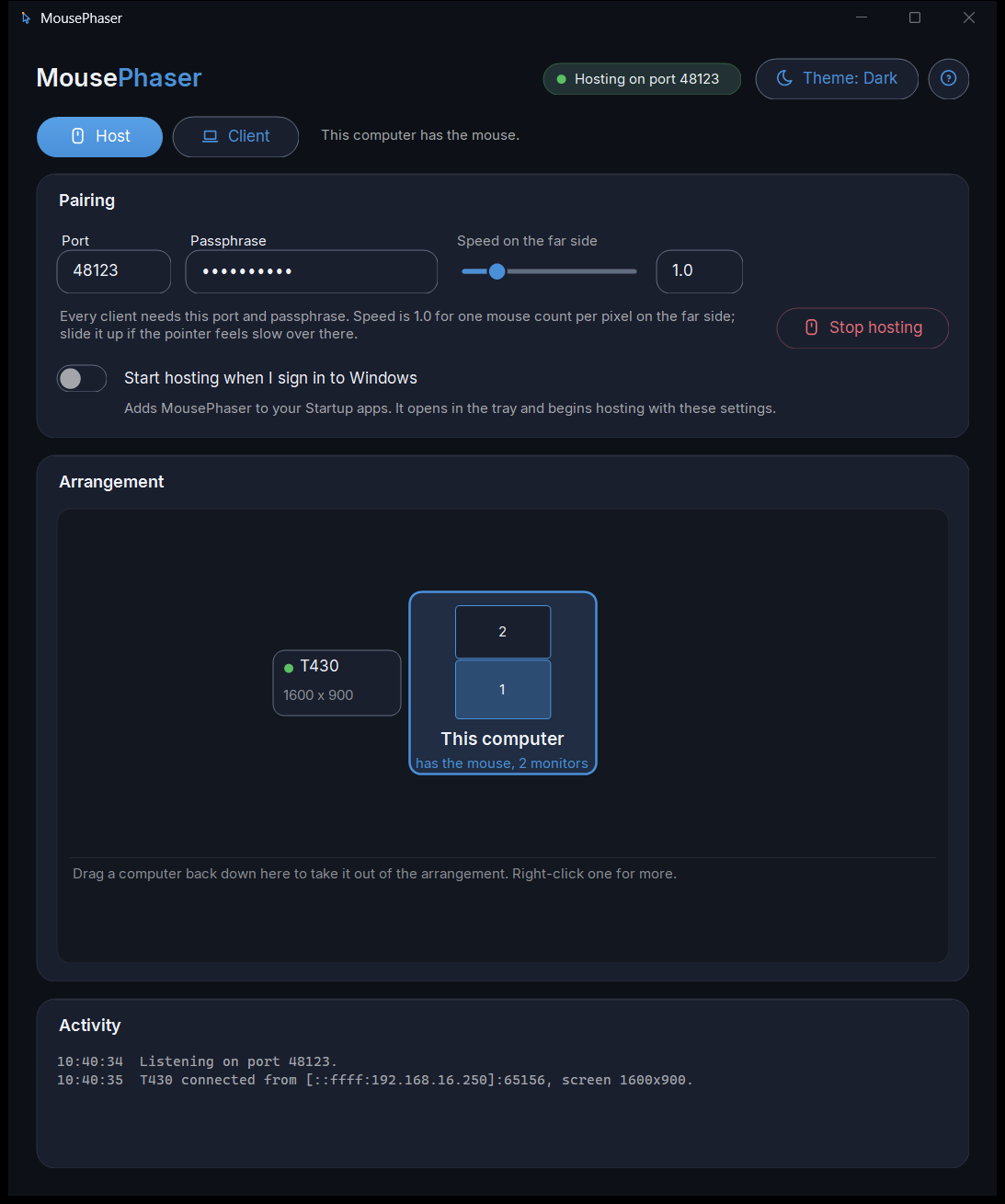
No hub, no cable, no account. The computers find each other, a passphrase keeps everyone else out, and you set it up by dragging the laptop onto the side of the desk it sits on.
$4.90 once, for every PC on your Microsoft account. No subscription, no ads, nothing to buy twice.
Three steps, then forget it is there
The first run walks you through it. This is all it asks.
Start hosting on the computer with the mouse
Make up a passphrase and click Start hosting. Windows asks once whether to allow it on your network; say yes.
Open it on the others
They find the host by themselves within a few seconds. Type the same passphrase, click the host, done.
Drag each one onto its side
Back on the host, each computer appears in a tray. Drag it onto the side of the desk it physically sits on. Now push the mouse off that edge.
The small things, done properly
Right-click a computer in the arrangement to disconnect it, rename it or forget it. If Windows Firewall is in the way, the host says so and fixes it with one click. A "?" in the header is a step-by-step guide, with the quirks worth knowing before they look like bugs.
Said plainly
Mouse sharing has been done before, and some of it is free. This one is for people who want it to look like it belongs on their machine, set itself up, and stay out of the way. Here is what it does not do, so nobody finds out after paying.
- Mouse only. No keyboard, no clipboard. There is no keystroke capture in it at all, which is the point.
- Your own network. The computers have to be on the same Wi-Fi or wired network. Nothing goes over the internet.
- Windows only. Windows 10 and 11, on every computer involved. No Mac, no phone.
- Host and neighbours. The pointer goes from the computer with the mouse to one beside it and back, not through to a third.
- Lock screens stay locked. Windows does not let any app reach a locked screen or an administrator prompt, so the pointer waits.
Questions people ask
Does it share the keyboard too?
No, and that is a decision rather than a gap. MousePhaser moves the pointer, its buttons and the wheel. It never reads or sends a keystroke, so there is no keyboard capture in it to worry about, and nothing you type on one computer can end up on another.
Is it safe on a shared network?
Every computer has to know the same passphrase before a single pointer event moves, and both ends prove it to each other. A computer that does not know it is turned away with a sentence saying so. Pointer positions travel on your own network only; nothing is sent anywhere else.
Does it work over Wi-Fi?
Yes. Any network the computers share, wired or wireless. The computers find each other on it, and if they cannot (a VPN or a guest network in the way), you type the host's address once.
How many computers can share the mouse?
One host, the computer with the mouse, and up to four more placed around it: one on each side. The pointer goes host to a neighbour and back.
Do I have to buy it for each computer?
No. One purchase covers every PC signed in to your Microsoft account. On the other computers, open the Store with the same sign-in and install it again; it shows as owned, with nothing to pay.
Does it work with a Mac or a phone?
No. MousePhaser is for Windows 10 and 11, on every computer involved.
Get MousePhaser
One-time purchase on the Microsoft Store. No subscription, no ads, no account to make. Updates included.
Buy it once. On each other computer, open the Store signed in with the same Microsoft account and install it again; the licence is on the account, so there is nothing to pay twice. Windows 10 and 11.